SupplierLink
SupplierLink is an optional suite of OpenInvoice solutions that allows you to: import invoices created in your Enterprise resource Planning (ERP) software into the OpenInvoice application, fully manage your end to end receivables without ever signing in by accessing our suite of transactional, reporting, and validation APIs, and access improved reporting and receivables dashboard.
Access to SupplierLink application must be enabled for your company by your OpenInvoice Supplier Management team.
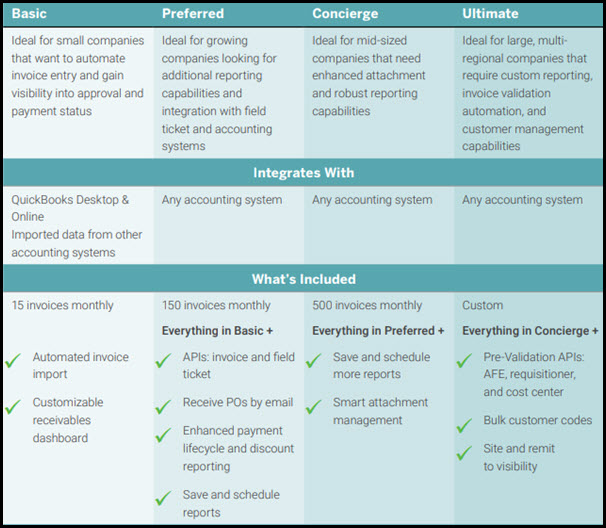
There are four subscription levels for SupplierLink:
There are three options for importing invoices into OpenInvoice: connecting to QuickBooks Online, connecting to QuickBooks Desktop, or using a file to import the data.
Note: SupplierLink is compatible with the English and Canadian versions of QuickBooks Online.
Configuration
To begin the integration you must sign in to OpenInvoice and configure your SupplierLink settings. Your configuration depends on the option you will be using for importing your invoices:
- QuickBooks Online
- QuickBooks Desktop
- File Import
The Settings page is used to maintain your company details such as the Enterprise Resource Planning (ERP) system and connection details to your ERP system.
Note: This setup is typically only completed once during your initial company setup for SupplierLink.
SupplierLink subscribers using the Import Tool can map multiple customers to the same OpenInvoice customer, enabling use of a common field mapping template. This scenario typically occurs when a single OpenInvoice customer has multiple business units or subsidiaries.
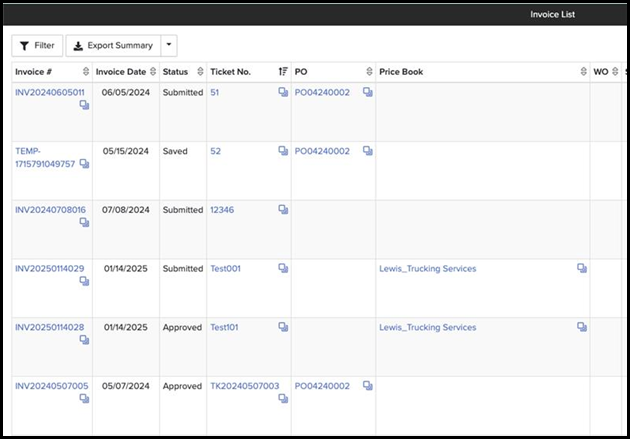
SupplierLink subscribers with the Enverus-controlled Enhanced Invoice List company preference turned on will see additional fields in the invoice search results.